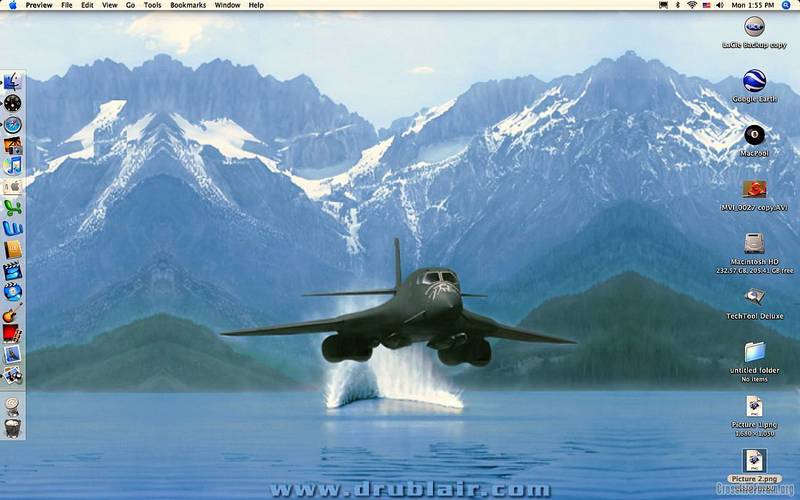
Show Your Desktop...





Senior Member
Joined: Dec 2006
Posts: 6,349
Likes: 17
From: Murfreesboro, TN

Forum Regular
Joined: Apr 2006
Posts: 303
Likes: 0
From: NE Dallas, TX
 Re: Show Your Desktop...


Forum Regular
Joined: Nov 2007
Posts: 815
Likes: 0
From: Ohio
Re: Show Your Desktop...
Dumb question of the day and it would be addressed to Midlife because I have a Mac . How do I get the image of my desktop so I can send it ? Also what's a Kimber. Brand of handgun? Thanks


Senior Member
Joined: Mar 2008
Posts: 4,535
Likes: 3
From: Houston in my blood, and under my tires...
 Re: Show Your Desktop...

Work Desktop

Home Desktop...
gotta have the xfire wiht me at work when I can't go out and look at her whenever i feel like it
Forum Regular
Joined: Apr 2006
Posts: 303
Likes: 0
From: NE Dallas, TX
Re: Show Your Desktop...
Regarding a Mac screen shot...
Shift-Command-4 Then drag your cross-hair cursor diagonally from one corner to the other. This will create a file on your desktop - likely a PNG. Note: Shift-Command-4-Space will not include the Menu bar.
I resized the file so I could display it here. My screen is 1680X 1050 and that would be way to big to display in a posting.
The posting below my desktop is a Kimber Pro Carry HD 1911 style pistol. A very fine handgun.I resized the file so I could display it here. My screen is 1680X 1050 and that would be way to big to display in a posting.
chuck65 ask:
Dumb question of the day and it would be addressed to Midlife because I have a Mac . How do I get the image of my desktop so I can send it ? Also what's a Kimber. Brand of handgun?
Dumb question of the day and it would be addressed to Midlife because I have a Mac . How do I get the image of my desktop so I can send it ? Also what's a Kimber. Brand of handgun?
Last edited by Midlife; Jun 30, 2008 at 10:51 AM.

 Re: Show Your Desktop...

Forum Regular
Joined: Jun 2008
Posts: 275
Likes: 2
From: King of Prussia, PA
Re: Show Your Desktop...
Pic is from NetCarShow.com. I just resized, added the SSB-ish side bars, and added the Crossfire SRT-6 lettering to it (Crossfire from brandsoftheworld.com, I made the SRT-6 logo). I'm heading out next weekend to take some pics of my actual ride that I'm sure will end up as wallpapers in the near-future.