


iPod Control with Factory Nav Radio is Here!



Joined: Sep 2010
Posts: 178
Likes: 0
From: Upstate SC, US
 Re: iPod Control with Factory Nav Radio is Here!
Rudy,
I am also ready to buy your i-control – can I just buy through the link?
I have been reading the thread since the beginning but my first XF didn’t come with a nav – which why I made sure the 2nd does – just so I can have this!!!!
I am also ready to buy your i-control – can I just buy through the link?
I have been reading the thread since the beginning but my first XF didn’t come with a nav – which why I made sure the 2nd does – just so I can have this!!!!

Thread Starter
|
Senior Member
Joined: Apr 2008
Posts: 3,178
Likes: 23
From: Chicago, IL
Re: iPod Control with Factory Nav Radio is Here!
I have a few left and you can buy one via PayPal HERE. If you have any other questions, feel free to email me at rudy@acceleratedindustries.com.
Take care and have a great weekend.
Take care and have a great weekend.
Last edited by rcompart; May 14, 2012 at 07:15 PM.
Joined: Sep 2010
Posts: 178
Likes: 0
From: Upstate SC, US
Re: iPod Control with Factory Nav Radio is Here!
Ordered and made payment!
Thank you for quick reply –
my first business with the famed Rudy and ACCELATED Industries -
which from what I read I think earns the much deserved raves from this XFire community. I myself appreciate the first class and elegant way that you deal with this - and for making it available.
Will contact you for further XFire/SRT-6 needs. Plan not yet finalized, but sometime in mid 2012 I would be in Chicago and thinking of driving my SRT-6 (currently at 9100 mi) for all kinds of preventive maintenance and maybe some reversible mods!
best regards,
Han
Thank you for quick reply –
my first business with the famed Rudy and ACCELATED Industries -
which from what I read I think earns the much deserved raves from this XFire community. I myself appreciate the first class and elegant way that you deal with this - and for making it available.
Will contact you for further XFire/SRT-6 needs. Plan not yet finalized, but sometime in mid 2012 I would be in Chicago and thinking of driving my SRT-6 (currently at 9100 mi) for all kinds of preventive maintenance and maybe some reversible mods!
best regards,
Han

Thread Starter
|
Senior Member
Joined: Apr 2008
Posts: 3,178
Likes: 23
From: Chicago, IL
Re: iPod Control with Factory Nav Radio is Here!
They're all sold out folks but I'll do another batch when more people would like to go in on them. Feel free to post if you're interested in one and when we get a few people together, I'll put another batch together.
Thanks and have a Merry Christmas
Thanks and have a Merry Christmas

Joined: Nov 2007
Posts: 59
Likes: 0
From: Golden, CO
Re: iPod Control with Factory Nav Radio is Here!
Originally Posted by rcompart
They're all sold out folks but I'll do another batch when more people would like to go in on them. Feel free to post if you're interested in one and when we get a few people together, I'll put another batch together.
Maybe I can help with the interest...here are a bunch of pictures of my recent install. This thing is awesome! If you have a stock NAV radio...you really should get one of Rudy's iControl adapters!
First off, here are really the only tools you need for the basic install.You have seen them before...so I won't go into too much detail.
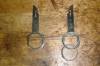
This is how you use those tools...when you snap them into place it releases the radio.

This is the NAV radio CD changer connector that the iControl uses to interface with the radio.
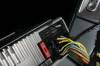
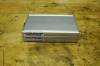
Here is the interface...very solid construction.
Here is the interface cable. I wish this cable was optionally available shorter...like maybe 12-18 inches (based on my install)...but there is plenty of room to stuff the extra cable, and some people may need the extra length.
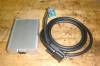
The iControl has three inputs...a mini DIN connecter that goes with the included iPod interface cable...a USB connector, and a 3.5mm stereo connector. Here is a cable that I purchased from Amazon to panel mount the USB connector.

Here is the 3.5mm extension cable (again from Amazon) that I used to panel mount that connection.
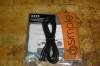
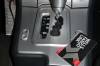
You will find many links on this forum to show you how to remove interior parts...but I figured that I would cover it here so that all the information is in one place. I used an old plastic rewards card to remove the shift lever trim...just pry it up a little at a time...working 360 degrees all around the trim piece.
Last edited by MAXIMUM; Jan 16, 2012 at 07:51 PM.
Joined: Nov 2007
Posts: 59
Likes: 0
From: Golden, CO
Re: iPod Control with Factory Nav Radio is Here!
The next piece will pry up too...easier than the last piece...but I still used the same plastic card for the job.
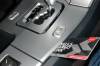
Now remove these two screws that hold down the front section of the center console.
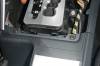
Pull up the last couple inches of the carpet in the center console (it is not glued down) and you will see two 8mm nuts. Remove those nuts.
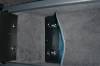
Next, remove the rubber handle on the parking brake handle. Warm weather makes it easier, but even in a Colorado cold winter garage I was able to slide it off...just need to man-handle it.
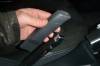
Remove the mirror adjustment switch as you are lifting the center console off.
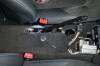
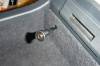
The Amazon cables did not come with instructions...but as you can see below...I would need to drill a 5/16" hole for the 3.5mm connector.
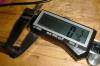
Drill the hole...slide the cable through.
Now remove these two screws that hold down the front section of the center console.
Pull up the last couple inches of the carpet in the center console (it is not glued down) and you will see two 8mm nuts. Remove those nuts.
Next, remove the rubber handle on the parking brake handle. Warm weather makes it easier, but even in a Colorado cold winter garage I was able to slide it off...just need to man-handle it.
Remove the mirror adjustment switch as you are lifting the center console off.
The Amazon cables did not come with instructions...but as you can see below...I would need to drill a 5/16" hole for the 3.5mm connector.
Drill the hole...slide the cable through.
Last edited by MAXIMUM; Jan 16, 2012 at 05:11 PM.
Joined: Nov 2007
Posts: 59
Likes: 0
From: Golden, CO
Re: iPod Control with Factory Nav Radio is Here!
Then press the connector into place. I should also mention that I selected the center console box for easy access...and I drilled into the left side of the center console box for better clearance (the cup holder would be in the way on the right side).

The USB panel mount connector would require an 11/16" hole.

I choose to drill a small pilot hole...then use a step drill bit to go bigger. I used a red Sharpie to mark the level past 11/16"...so I could know when I got there.

Again...slide the cable through.
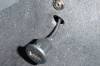
And press it into place. This one required the persuasion of a rubber mallet to fully seat.

I ran the cables forward of the center console...with a couple cable ties to hold in place.
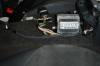
Then I snaked the cables past the shifter...up behind the radio area.
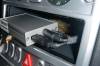
Like I said, plenty of room in the console for the iControl box and the extra cable.
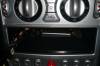
Plug in the interface connector...and like Rudy has said...it only fits one way. Dummy proof!
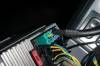
The USB panel mount connector would require an 11/16" hole.
I choose to drill a small pilot hole...then use a step drill bit to go bigger. I used a red Sharpie to mark the level past 11/16"...so I could know when I got there.
Again...slide the cable through.
And press it into place. This one required the persuasion of a rubber mallet to fully seat.
I ran the cables forward of the center console...with a couple cable ties to hold in place.
Then I snaked the cables past the shifter...up behind the radio area.
Like I said, plenty of room in the console for the iControl box and the extra cable.
Plug in the interface connector...and like Rudy has said...it only fits one way. Dummy proof!
Last edited by MAXIMUM; Jan 16, 2012 at 07:54 PM.
Joined: Nov 2007
Posts: 59
Likes: 0
From: Golden, CO
Re: iPod Control with Factory Nav Radio is Here!
Push the blue releases on the sides of the radio to remove the tools...then the radio just snaps into place. Too easy!
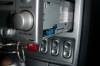
Picture of the finished install.
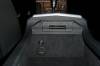
When you connect an audio sound via the 3.5mm input...the radio displays an AUX-IN message...and you get whatever sound is coming out of your audio source (mp3 player).
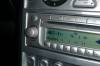
From previous posts...you know that when you use the iPod interface cable you need to have already set up 6-10 playlists (depending on your version of iControl) named CD1 through CD10 with up to 99 songs per playlist. The iControl tricks the radio head unit into thinking that these are CD's from the external CD changer. If you select CD6, you have direct control of what plays through the iPod/iPhone (which I like best) and you see the message below.
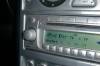
The only suggestions I would have for future software updates (because of the way I find myself using the interface) would be to have CD1 as the iPod direct location. Since I use this function the most...and the system defaults to CD1 when engaging the "CD Changer"...it would make things easier for me.
I decided to give myself a total wireless option too! I purchased a Bluetooth receiver with a female 30 pin iPod connector off eBay.
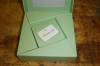
I simply connect this Bluetooth device to the iControl iPod interface cable...allow my iPhone to connect wirelessly to this device...and BAM...all audio from my iPhone flows through the stock radio! I may move the iPod cable into the glove box...but for now I just have the extra cable tucked under the right side of the center console. That way I can just pull the cable back out if I want to use the cable directly (for charging the iPhone).
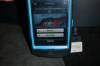
In this Bluetooth configuration...it doesn't seem to matter what CD I select from the radio menu...it only displays CD1 Tk 1...but plays fine...even when the phone is in my pocket! The only negative thing I will say about the Bluetooth configuration is that the audio quality is a little less...due to frequency compression. Most people may not notice or care...but that is the price you pay for the extra convenience of wireless.
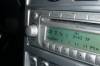
Like I said before...everyone with a NAV radio (and some sort of mp3 player) should definitely have one of Rudy's iControl adapters! Works great and is super easy to install...doesn't get any better than that!
Picture of the finished install.
When you connect an audio sound via the 3.5mm input...the radio displays an AUX-IN message...and you get whatever sound is coming out of your audio source (mp3 player).
From previous posts...you know that when you use the iPod interface cable you need to have already set up 6-10 playlists (depending on your version of iControl) named CD1 through CD10 with up to 99 songs per playlist. The iControl tricks the radio head unit into thinking that these are CD's from the external CD changer. If you select CD6, you have direct control of what plays through the iPod/iPhone (which I like best) and you see the message below.
The only suggestions I would have for future software updates (because of the way I find myself using the interface) would be to have CD1 as the iPod direct location. Since I use this function the most...and the system defaults to CD1 when engaging the "CD Changer"...it would make things easier for me.
I decided to give myself a total wireless option too! I purchased a Bluetooth receiver with a female 30 pin iPod connector off eBay.
I simply connect this Bluetooth device to the iControl iPod interface cable...allow my iPhone to connect wirelessly to this device...and BAM...all audio from my iPhone flows through the stock radio! I may move the iPod cable into the glove box...but for now I just have the extra cable tucked under the right side of the center console. That way I can just pull the cable back out if I want to use the cable directly (for charging the iPhone).
In this Bluetooth configuration...it doesn't seem to matter what CD I select from the radio menu...it only displays CD1 Tk 1...but plays fine...even when the phone is in my pocket! The only negative thing I will say about the Bluetooth configuration is that the audio quality is a little less...due to frequency compression. Most people may not notice or care...but that is the price you pay for the extra convenience of wireless.
Like I said before...everyone with a NAV radio (and some sort of mp3 player) should definitely have one of Rudy's iControl adapters! Works great and is super easy to install...doesn't get any better than that!
Last edited by MAXIMUM; Jan 16, 2012 at 05:20 PM.


Senior Member
Joined: Sep 2011
Posts: 9,595
Likes: 26
From: Kellyville, Ok
Re: iPod Control with Factory Nav Radio is Here!
Originally Posted by rcompart
They're all sold out folks but I'll do another batch when more people would like to go in on them. Feel free to post if you're interested in one and when we get a few people together, I'll put another batch together.
Thanks and have a Merry Christmas
Thanks and have a Merry Christmas

Joined: Sep 2010
Posts: 178
Likes: 0
From: Upstate SC, US
Re: iPod Control with Factory Nav Radio is Here!
Agreed with GraphiteGhost : Absolutely Fantastic!
Thank you so much for posting this!
I love your set up and appreciate the clarity – I learn a lot!
Thank you so much for posting this!
I love your set up and appreciate the clarity – I learn a lot!

Forum Regular
Joined: Oct 2011
Posts: 444
Likes: 1
From: SAN ANTONIO, TEXAS
Re: iPod Control with Factory Nav Radio is Here!
Originally Posted by rcompart
They're all sold out folks but I'll do another batch when more people would like to go in on them. Feel free to post if you're interested in one and when we get a few people together, I'll put another batch together.
Thanks and have a Merry Christmas
Thanks and have a Merry Christmas


Senior Member
Joined: Apr 2006
Posts: 25,432
Likes: 647
From: Ontario
Re: iPod Control with Factory Nav Radio is Here!
Originally Posted by coolx
I am interested in this unit, I skipped a couple of pages of this thread so I'm not sure of the current price...which post# has that info? -- appreciate it
Forum Regular
Joined: Oct 2011
Posts: 444
Likes: 1
From: SAN ANTONIO, TEXAS
Re: iPod Control with Factory Nav Radio is Here!
Originally Posted by onehundred80
Let me guess, you skipped pages 13 and 14?
Last edited by coolx; Jan 23, 2012 at 12:39 AM.

Thread Starter
|
Senior Member
Joined: Apr 2008
Posts: 3,178
Likes: 23
From: Chicago, IL
Re: iPod Control with Factory Nav Radio is Here!
I'm gearing up to do another batch of these and need to know who would like to get in on them. Price is still $229.99 shipped to the lower 48 states.
I'm offering two ways to purchase these as people have asked if they can meet up and have them installed. They are still available for self-install but I'm also providing local installation in the Chicago, IL area and at the Crossfire meets I will be attending. So far the only one that is set in stone is the fall Dragon but I will update this if I plan on attending others here in the future as well.
Please use the links below to purchase as the old ones will no longer work.
iControl - Chrysler Crossfire iPod Controller
iControl - Chrysler Crossfire iPod Controller w/ Installation
If you have any questions, feel free to contact me via email at rudy@acceleratedindustries.com or on my phone at 952-681-1000.
Thank you and take care
I'm offering two ways to purchase these as people have asked if they can meet up and have them installed. They are still available for self-install but I'm also providing local installation in the Chicago, IL area and at the Crossfire meets I will be attending. So far the only one that is set in stone is the fall Dragon but I will update this if I plan on attending others here in the future as well.
Please use the links below to purchase as the old ones will no longer work.
iControl - Chrysler Crossfire iPod Controller
iControl - Chrysler Crossfire iPod Controller w/ Installation
If you have any questions, feel free to contact me via email at rudy@acceleratedindustries.com or on my phone at 952-681-1000.
Thank you and take care



 I already put the Infinity NAV back in.
