


Single Din Bluetooth DVD 7" tablet screen solution?


Thread Starter
Joined: Dec 2007
Posts: 50
Likes: 2
 Single Din Bluetooth DVD 7" tablet screen solution?
Like many here I have been looking for a way to mount tablet as full on replacement for a stereo. A few weeks ago my stereo kicked the bucket and I ripped it out. I have been running my Android phone wired headphone out directly to the factory amp and I must say it sounds darn good. To play the mp3 physically on my phone I use a premium player called "Power Amp" This player is worth the small app charge because it can boost the pre-amp level output of the phone to give me some decent volume.
Unfortunately using Pandora is not as good The sound is good but the volume is lacking. If anyone knows of a way to boost the headphone output for all player apps on any android device please let me know.
Baring that, Is this a solution for our single din cars? What does everyone think?
Soundstream VR-738NB DVD receiver at Crutchfield.com
Unfortunately using Pandora is not as good The sound is good but the volume is lacking. If anyone knows of a way to boost the headphone output for all player apps on any android device please let me know.
Baring that, Is this a solution for our single din cars? What does everyone think?
Soundstream VR-738NB DVD receiver at Crutchfield.com

Forum Regular
Joined: Jun 2012
Posts: 502
Likes: 0
From: Derby, KS
Re: Single Din Bluetooth DVD 7" tablet screen solution?
Try DSP, if you're into rooting phones and flashing roms some roms come with this app preinstalled and provides full control of the equalizer and preamp for the speaker, headphone jack and bluetooth. Also check my thread Android Head Unit I was looking for something android powered but found something that was Windows CE based
https://www.crossfireforum.org/forum...head-unit.html
https://www.crossfireforum.org/forum...head-unit.html

Joined: Jun 2012
Posts: 248
Likes: 2
From: Florence Alabama
Re: Single Din Bluetooth DVD 7" tablet screen solution?
I found this, and I am thinking seriously about buying it.
Jensen VM9116 DVD receiver at Crutchfield.com
Jensen VM9116 DVD receiver at Crutchfield.com
Thread Starter
Joined: Dec 2007
Posts: 50
Likes: 2
Re: Single Din Bluetooth DVD 7" tablet screen solution?
Hi Sebly, I saw your unit and write up. Thank you for contributing as I found the information very helpful but the unit is just not for me. I am not a fan of the pop out and up screen as I feel the top will be wobbly in a few months if not immediately upon install. I also don't want to block my heater control as I seem to access the controls constantly flipping back and forth between floor heater and defrost, hot and cold on both wheels. Who designed those controls anyway? I have never owned a car that constantly needed so much adjustment for temperature control..... Oh well so much for german engineeering..... 
eWaynec, The pop out and up comment also applies for that jensen. I'd much rather have the screen block the button in the lower sections which get accessed far less than the heater dial. Ideally I would like the 7" screen to be dead center of the single din mount or maybe just a hair lower than center still providing some access to both banks of factory controls. While I don't know for sure, from the pictures of the back of the face plate of the unit I posted, it looks like there just may be some adjustment there. Another negative of the Jensen is it does not have Bluetooth, I would not purchase any aftermarket radio for any reason in 2014 if it did not have the ability to steam music from my phone. That is just such a key feature these days.
Any other suggestions for a single din solution? Here is a picture from my link

eWaynec, The pop out and up comment also applies for that jensen. I'd much rather have the screen block the button in the lower sections which get accessed far less than the heater dial. Ideally I would like the 7" screen to be dead center of the single din mount or maybe just a hair lower than center still providing some access to both banks of factory controls. While I don't know for sure, from the pictures of the back of the face plate of the unit I posted, it looks like there just may be some adjustment there. Another negative of the Jensen is it does not have Bluetooth, I would not purchase any aftermarket radio for any reason in 2014 if it did not have the ability to steam music from my phone. That is just such a key feature these days.
Any other suggestions for a single din solution? Here is a picture from my link
Forum Regular
Joined: Jun 2012
Posts: 502
Likes: 0
From: Derby, KS
Re: Single Din Bluetooth DVD 7" tablet screen solution?
Hi Sebly, I saw your unit and write up. Thank you for contributing as I found the information very helpful but the unit is just not for me. I am not a fan of the pop out and up screen as I feel the top will be wobbly in a few months if not immediately upon install. I also don't want to block my heater control as I seem to access the controls constantly flipping back and forth between floor heater and defrost, hot and cold on both wheels. Who designed those controls anyway? I have never owned a car that constantly needed so much adjustment for temperature control..... Oh well so much for german engineeering.....
eWaynec, The pop out and up comment also applies for that jensen. I'd much rather have the screen block the button in the lower sections which get accessed far less than the heater dial. Ideally I would like the 7" screen to be dead center of the single din mount or maybe just a hair lower than center still providing some access to both banks of factory controls. While I don't know for sure, from the pictures of the back of the face plate of the unit I posted, it looks like there just may be some adjustment there. Another negative of the Jensen is it does not have Bluetooth, I would not purchase any aftermarket radio for any reason in 2014 if it did not have the ability to steam music from my phone. That is just such a key feature these days.
Any other suggestions for a single din solution? Here is a picture from my link
eWaynec, The pop out and up comment also applies for that jensen. I'd much rather have the screen block the button in the lower sections which get accessed far less than the heater dial. Ideally I would like the 7" screen to be dead center of the single din mount or maybe just a hair lower than center still providing some access to both banks of factory controls. While I don't know for sure, from the pictures of the back of the face plate of the unit I posted, it looks like there just may be some adjustment there. Another negative of the Jensen is it does not have Bluetooth, I would not purchase any aftermarket radio for any reason in 2014 if it did not have the ability to steam music from my phone. That is just such a key feature these days.
Any other suggestions for a single din solution? Here is a picture from my link

Senior Member
Joined: Oct 2013
Posts: 2,152
Likes: 37
From: Orlando
Re: Single Din Bluetooth DVD 7" tablet screen solution?
I just went for a radio with Bluetooth and an aux jack that blended in. When I need a display I use an 8" Windows 8.1 tab with internal GPS & a slip-on glovebox mount.
Thread Starter
Joined: Dec 2007
Posts: 50
Likes: 2
Re: Single Din Bluetooth DVD 7" tablet screen solution?
Hi Selby, Yes I have a 6sp and I thought about that also. Based off the picture I estimate the display will end about an inch in front of the switches on the bottom. I have checked my shifter in all gears and it seems to me like my knuckles will clear. Of course we wont know for sure until someone tries it but I do think it will work.
Hi Padgett,
I saw your thread too. Neat work! I really wish I could figure out a way to place a 7" tablet horizontally directly in front of the single din opening. If I could do that, screw the head unit, I will find a way to wire or bluetooth direct to the amp.
Any thoughts anyone?
Hi Padgett,
I saw your thread too. Neat work! I really wish I could figure out a way to place a 7" tablet horizontally directly in front of the single din opening. If I could do that, screw the head unit, I will find a way to wire or bluetooth direct to the amp.
Any thoughts anyone?
Senior Member
Joined: Oct 2013
Posts: 2,152
Likes: 37
From: Orlando


Thread Starter
Joined: Dec 2007
Posts: 50
Likes: 2
Re: Single Din Bluetooth DVD 7" tablet screen solution?
Interesting links Padgett, but its much easier than that. In fact I am doing it already.
Austin, If you search this board you will find a how to on how to wire aftermarket radios with RCA preouts direct to your amp. Follow these instructions but instead of connecting the RCA outputs of a stereo connect your phone, MP3 Player or Tablet via a simple headphone jack to RCA cable.
If you want to Bluetooth direct to the amp, wire in something like this:
direct to the amp in the same manor.
Make sense?
Austin, If you search this board you will find a how to on how to wire aftermarket radios with RCA preouts direct to your amp. Follow these instructions but instead of connecting the RCA outputs of a stereo connect your phone, MP3 Player or Tablet via a simple headphone jack to RCA cable.
If you want to Bluetooth direct to the amp, wire in something like this:
direct to the amp in the same manor.
Make sense?
Senior Member
Joined: Oct 2013
Posts: 2,152
Likes: 37
From: Orlando
Re: Single Din Bluetooth DVD 7" tablet screen solution?
Looks like a simple unit but you are also going to need an on-off switch for the amp "turn on" signal. Also all it does is play music/audio, not "hands free phone" which was one of my requirements. Finally I do not see from the blurb how it gets power but am sure that is minor, would be simple to adapt a Scosche VW01B to two RCA plugs and the power switch.
Final thing would be a single din block off plate in chrome to mount the on-off switch and a power LED.
PS Localizer is now working properly, went on a 60 mile jaunt this morning and with Localizer 4.1.6, Delorme Street Atlas on a Toshiba Encore never missed a beat.
Final thing would be a single din block off plate in chrome to mount the on-off switch and a power LED.
PS Localizer is now working properly, went on a 60 mile jaunt this morning and with Localizer 4.1.6, Delorme Street Atlas on a Toshiba Encore never missed a beat.
Thread Starter
Joined: Dec 2007
Posts: 50
Likes: 2
Re: Single Din Bluetooth DVD 7" tablet screen solution?
Looks like a simple unit but you are also going to need an on-off switch for the amp "turn on" signal. Also all it does is play music/audio, not "hands free phone" which was one of my requirements. Finally I do not see from the blurb how it gets power but am sure that is minor, would be simple to adapt a Scosche VW01B to two RCA plugs and the power switch.
Final thing would be a single din block off plate in chrome to mount the on-off switch and a power LED.
Final thing would be a single din block off plate in chrome to mount the on-off switch and a power LED.


You dont need a block off plate also. Right now there is hole in my dash where the radio was. I am finding that hole the most convenient thing in the car. I trow my phone in there all the time. i figure I will just install one of those single Din pockets in the hole so I can throw more smaller stuff in that location also without fear of it falling behind the dash.
I may even place an inductive charger hot glued or big rubber banded to the underneath of the single din pocket so it charges automatically every time I throw the phone in there.

So imagine it..... now you have an extra place to place to putt stuff in a most convenient location in the car and when you toss your phone there it will start playing music though the amp via bluetooth and charging inductively. There is an FM radio on my phone also if I really get the desire for a local station. The head unit has now become obsolete!!!!
Correct as noted, I did not specify how to power that bluetooth hockey puck because I don't have it in my hands yet. I need to see what voltage it takes. Most likely 5V from a wall adapter. If that is the case, I will take a 12 to 5V power adapter like a USB charger and wire it in. I could also use one of the many other bluetooth to RCA adapters on the market some of which are made for 12 volts. I chose that belkin adapter to show here because it most easily showed the concept I was trying to get everyone to understand. Check out some of these:
https://www.google.com/search?q=blue...m=122&ie=UTF-8
As for the hands free phone portion, I feel no need to broadcast my phone conversation though the speakers of the car. The hands free built into the phone does just fine.
Now if I can only find a way to mount a 7" Tablet in front of the single din pocket, I will substitute the table for my phone and use that primarily.
Senior Member
Joined: Oct 2013
Posts: 2,152
Likes: 37
From: Orlando
Re: Single Din Bluetooth DVD 7" tablet screen solution?
In my Jeep I just press a button on the steering wheel to answer the phone, for the CF I push a button on the radio. Phone never leaves my belt.
Thread Starter
Joined: Dec 2007
Posts: 50
Likes: 2
Re: Single Din Bluetooth DVD 7" tablet screen solution?
Very cool Padgett, and I just press a button on my phone which: has replaced the radio, contains a huge library of MP3, has very fast 4g connection to every media streaming service on the net and is now located in the same location as your radio. You can think of my phone as the 4g connected radio if it helps.
Now if the phone only had a big screen like an android tablet or that radio above. Anyone have any input on a true android single din 7"+ face radio, the radio mentioned above, or a way to mount a tablet in front of the single din hole left by the factory radio?
TIA!
PS. For anyone that is trying to emulate my phone setup. If you simply connect the phone via the simple $3 headset to RCA cable instead of bluetooth, your phone conversation will come through the amp and the car speakers just like Padgetts jeep and CF. The mic is located on the phone again located in the same location as a factory or aftermarket radio. If you don't want the conversation blasted through the speakers, just hit the handsfree button instead of a "regular non speakerphone answer" and now you have a regular speakerphone conversation. To make things ultra simple, The factory amp and car speakers now become your "Headset".
Now if the phone only had a big screen like an android tablet or that radio above. Anyone have any input on a true android single din 7"+ face radio, the radio mentioned above, or a way to mount a tablet in front of the single din hole left by the factory radio?
TIA!
PS. For anyone that is trying to emulate my phone setup. If you simply connect the phone via the simple $3 headset to RCA cable instead of bluetooth, your phone conversation will come through the amp and the car speakers just like Padgetts jeep and CF. The mic is located on the phone again located in the same location as a factory or aftermarket radio. If you don't want the conversation blasted through the speakers, just hit the handsfree button instead of a "regular non speakerphone answer" and now you have a regular speakerphone conversation. To make things ultra simple, The factory amp and car speakers now become your "Headset".
Senior Member
Joined: Oct 2013
Posts: 2,152
Likes: 37
From: Orlando
Re: Single Din Bluetooth DVD 7" tablet screen solution?
I use my phone that way sometimes since it also has the Torque app. In the Heep I just leave a Galaxy Tab 2 7.0 on an Anker seat bolt mount.

I am still looking for the One True Answer but think it is going to be a Windows tab possibly with Centrafuse.
I am still looking for the One True Answer but think it is going to be a Windows tab possibly with Centrafuse.
Last edited by Padgett; Feb 17, 2014 at 02:06 PM.

Joined: Apr 2009
Posts: 132
Likes: 0
Re: Single Din Bluetooth DVD 7" tablet screen solution?
Selbyl
I have the same thoughts I have a Alpine d106 and it bugs me to lower it every time I need to adjust temp. Found this on ebay but don't know how good a radio it is but has every thing your looking for . the screen does not come out the radio but detaches ???
http://www.ebay.com/itm/D1205Z-7-s-Dash-Single-DIN-in-Dash-Digital-Touch-Screen-Car-CD-DVD-Player-Stereo-/221358053874?pt=US_Video_In_Dash_Units_w_o_GPS&hash=item3389f7d9f2
I have the same thoughts I have a Alpine d106 and it bugs me to lower it every time I need to adjust temp. Found this on ebay but don't know how good a radio it is but has every thing your looking for . the screen does not come out the radio but detaches ???
http://www.ebay.com/itm/D1205Z-7-s-Dash-Single-DIN-in-Dash-Digital-Touch-Screen-Car-CD-DVD-Player-Stereo-/221358053874?pt=US_Video_In_Dash_Units_w_o_GPS&hash=item3389f7d9f2
Last edited by sive81364; Feb 20, 2014 at 02:02 AM.
Senior Member
Joined: Oct 2013
Posts: 2,152
Likes: 37
From: Orlando
Re: Single Din Bluetooth DVD 7" tablet screen solution?
Depends on what you want. I've had Android, iOS and Windows tablets but the only ones that could do what everything I want are Windows based.
This includes Infotainment, engine diagnostics, Sat-Nav, etc.
Also I do not want to block the HVAC so the best place for an 8" display on the XF is to the right of the console and in front of the glovebox. Is best managed by a passenger anyway.
I went with the single DIN Clarion M303 because it had everything I want in a head unit including Bluetooth and HFP and am using a Toshiba Encore as a transferrable computing base.
I have several cars so being able to move between them is important. It takes a while to copy a 10GB music directory.
This includes Infotainment, engine diagnostics, Sat-Nav, etc.
Also I do not want to block the HVAC so the best place for an 8" display on the XF is to the right of the console and in front of the glovebox. Is best managed by a passenger anyway.
I went with the single DIN Clarion M303 because it had everything I want in a head unit including Bluetooth and HFP and am using a Toshiba Encore as a transferrable computing base.
I have several cars so being able to move between them is important. It takes a while to copy a 10GB music directory.

Thread Starter
Joined: Dec 2007
Posts: 50
Likes: 2
Re: Single Din Bluetooth DVD 7" tablet screen solution?
Sive,Thank you for your contribution! That unit was most definitely worth a look. You are correct that this unit does most of what I am looking to do (sans navigation, no GPS). The screen does goes down which is much better from a convenience perspective but it also has a motorized fold out movement mechanism that I am very wary of from both a stability and longevity perspective.
See the lower portion of the description in your link and the bottom of this pic:

The one I mentioned up top has a simple removable display. From what I can gather it also seems like the display of the unit I linked above can be used separately (like a tablet) when removed from the car. (The documentation leads you on to this but is not very clear)
Anyway as mentioned, The single best device to do everything I would want is a simple Android tablet with a built in GPS. Windows 8 adds a higher cost and complexity that is simply unnecessary and unwanted for my needs. I purchased a Dell Venue 8 with everything I could want, android and a built in GPS for for just about $120 on a black Friday deal. It was a score. Connected to the 4g LTE hotspot from my phone it would be music, maps, search and video accessibility bliss.
Also as mentioned, The best place to mount this simply directly in front of the single din factory radio opening, just a little bit lower than dead center single din, still leaving room to access both the heater controls and the lower portion of the switches. Additional this location is also convenient for my fingers to flick in-between rowing my own gears. I have had other accessories like tablets and phones mounted offset to the right of the stack before and while others may like it, that location simply does not work for me. It is a compromise at best.
Mounting the something as large as tablet to the right of the stack makes the dash look busy and cluttered in an already confined Crossfire cockpit space. It also encroaches into the passenger space pushing the limit of a convenient reach and always seems to be in the way of something I would want to do like access the glove box or adjust a vent.
Now if I could only find the proper mount and a way to "Power amp" the preamp levels of Pandora and other media playing apps.......
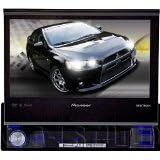
Breakdown, that pioneer looks great but opens up.
-J
See the lower portion of the description in your link and the bottom of this pic:
The one I mentioned up top has a simple removable display. From what I can gather it also seems like the display of the unit I linked above can be used separately (like a tablet) when removed from the car. (The documentation leads you on to this but is not very clear)
Anyway as mentioned, The single best device to do everything I would want is a simple Android tablet with a built in GPS. Windows 8 adds a higher cost and complexity that is simply unnecessary and unwanted for my needs. I purchased a Dell Venue 8 with everything I could want, android and a built in GPS for for just about $120 on a black Friday deal. It was a score. Connected to the 4g LTE hotspot from my phone it would be music, maps, search and video accessibility bliss.
Also as mentioned, The best place to mount this simply directly in front of the single din factory radio opening, just a little bit lower than dead center single din, still leaving room to access both the heater controls and the lower portion of the switches. Additional this location is also convenient for my fingers to flick in-between rowing my own gears. I have had other accessories like tablets and phones mounted offset to the right of the stack before and while others may like it, that location simply does not work for me. It is a compromise at best.
Mounting the something as large as tablet to the right of the stack makes the dash look busy and cluttered in an already confined Crossfire cockpit space. It also encroaches into the passenger space pushing the limit of a convenient reach and always seems to be in the way of something I would want to do like access the glove box or adjust a vent.
Now if I could only find the proper mount and a way to "Power amp" the preamp levels of Pandora and other media playing apps.......
Breakdown, that pioneer looks great but opens up.
-J
Last edited by jjg; Feb 23, 2014 at 09:01 AM.
Senior Member
Joined: Oct 2013
Posts: 2,152
Likes: 37
From: Orlando
Re: Single Din Bluetooth DVD 7" tablet screen solution?
a) Personally do not care for the Dell Venue products from a technical standpoint.
b) Am looking for a personal device that also mounts in a car rather than a device for a car. From that standpoint, all I want is a head unit that supports a lot of inputs. For the Crossfire this is an easier task since it has a separate main amp.
c) Am slowly moving back in my cars adding such a head unit with Bluetooth and aux inputs, this became common only after 2005-6 and most of mine are earlier.
d) For short trips I just clip my smart phone in a CD mount, it provides all the basic stuff including GPS.
e) Android is OK for most uses but in workstation mode with a dock, keyboard, mouse, wired Ethernet, external DVD and storage and two 24" Monitors I prefer a Windows device. Also with Windows it is easy to add a rear view camera (which is a "must have" for my Jeep) and stores the factory service and parts manuals as well. Plus Firefly.
So there are a lot of devices you can choose out there particularly now that the Windows 8 GPS/Sat-Nav issue is fixed. Just make sure you find something that does everything you want.
ps for driving somewhere unknown I use both the phone for engine diagnostics and music selection while the tab is primarily for the Sat-Nav.
b) Am looking for a personal device that also mounts in a car rather than a device for a car. From that standpoint, all I want is a head unit that supports a lot of inputs. For the Crossfire this is an easier task since it has a separate main amp.
c) Am slowly moving back in my cars adding such a head unit with Bluetooth and aux inputs, this became common only after 2005-6 and most of mine are earlier.
d) For short trips I just clip my smart phone in a CD mount, it provides all the basic stuff including GPS.
e) Android is OK for most uses but in workstation mode with a dock, keyboard, mouse, wired Ethernet, external DVD and storage and two 24" Monitors I prefer a Windows device. Also with Windows it is easy to add a rear view camera (which is a "must have" for my Jeep) and stores the factory service and parts manuals as well. Plus Firefly.
So there are a lot of devices you can choose out there particularly now that the Windows 8 GPS/Sat-Nav issue is fixed. Just make sure you find something that does everything you want.
ps for driving somewhere unknown I use both the phone for engine diagnostics and music selection while the tab is primarily for the Sat-Nav.
Last edited by Padgett; Feb 23, 2014 at 09:44 AM.