When you click on links to various merchants on this site and make a purchase, this can result in this site earning a commission. Affiliate programs and affiliations include, but are not limited to, the eBay Partner Network.
Troubleshooting & Technical Questions & ModificationsHave technical or modification questions about the Crossfire?
Find out the answer, or give advice in here!
I thought i would add a small snippet of info regarding my experience with the Witech system setup.
So i decided to order a "Witech V17.04.27 Micropod" kit. If you look online there are many options to choose from. I was initially going to order one from the obdii365 site listed earlier, but i had a slight change of mind and ordered one from a seller on aliexpress that would be shipped quickly via courier (dhl in my case), just search for item 32995661303 on aliexpress. It was 167$ cad for me. They had 2 versions, one with a Hard Drive and one without. If you want to go thru the process of setting up the software, choose the cheaper "without hard drive" version. I had messaged the seller if the CD had the DRBIII files on it, and they said No, but it did have the files anyways... lol?
Package showed up, and it had the interface dongle, usb cable, and software disk. I made a backup of the disk and uploaded it to my drive for all to have, John also is sending me a copy of his version of the disk so we can compare differences. I will also upload his disk if it has any differences. It just under a 2gb package that i put in a single rar file, that contains 2 versions of the witech software, the DRBIII files, as well as a simple setup video that is not exactly helpful. https://drive.google.com/file/d/1xwM...ew?usp=sharing
Setup was pretty straight forward. For this though i would recommend that folks pickup a cheap used laptop for installing these programs on. I have a laptop dedicated just for all my automotive diagnostics software. More specifically its a Dell Latitude E6420, which is a model i had to specifically get for natively running the Mercedes Star/Das system. Ive set it up for dual boot on a big SSD (win xp - MB Star)/(Win 7 - everything else), i would definitely recommend folks to go straight for a SSD HD if your going to be using this for other diagnostics software and such, it just saves you alot of time waiting.
Witech install was pretty simple, You need to first install Adobe Air (included), then Java (included), then the witech application. Wait for the Witech to finish installing, then you can plug in the USB interface module. How this works actually is it emulates the device as a network connection. You might notice that windows might ask you to join a new network, this is fine and normal. Witech has different versions of this unit, and its not uncommon for automotive diagnostics devices to use network interfaces as they are usually used inside a dealer shop and have a central connection service for the wireless connections.
I will do a update of my experience with this because i havent had a chance to get the DRBIII setup on the machine yet. Theres a specific sequence of events to get it setup and working which i will document my experience with it. The witech software is fully operational however if you want to do any dealer level modifications such as swapping out ecu's and such i am pretty sure you will need a subscription "dealer connect" "TechAuthority" login which will fully work on this device from what i heard. So far i just hooked it up to a 06 charger and was able to check ecu/body codes, and fiddle with a few "preference" options. But in regards to us being able to use this on our X-fires, the DRBIII functionality is needed.
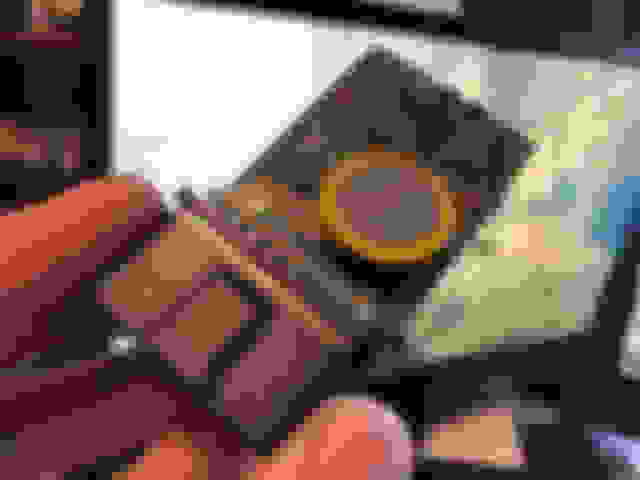
ive also attached some photos of the inside of the MicroPod interface unit.
Not to far from me, so if I need any help a phone call is all it will take. John is sending me a copy too.
Now to hunt down a suitable laptop, must be thousands around.
I thought i would add a small snippet of info regarding my experience with the Witech system setup.
So i decided to order a "Witech V17.04.27 Micropod" kit. If you look online there are many options to choose from. I was initially going to order one from the obdii365 site listed earlier, but i had a slight change of mind and ordered one from a seller on aliexpress that would be shipped quickly via courier (dhl in my case), just search for item 32995661303 on aliexpress. It was 167$ cad for me. They had 2 versions, one with a Hard Drive and one without. If you want to go thru the process of setting up the software, choose the cheaper "without hard drive" version. I had messaged the seller if the CD had the DRBIII files on it, and they said No, but it did have the files anyways... lol?
Package showed up, and it had the interface dongle, usb cable, and software disk. I made a backup of the disk and uploaded it to my drive for all to have, John also is sending me a copy of his version of the disk so we can compare differences. I will also upload his disk if it has any differences. It just under a 2gb package that i put in a single rar file, that contains 2 versions of the witech software, the DRBIII files, as well as a simple setup video that is not exactly helpful. https://drive.google.com/file/d/1xwM...ew?usp=sharing
Setup was pretty straight forward. For this though i would recommend that folks pickup a cheap used laptop for installing these programs on. I have a laptop dedicated just for all my automotive diagnostics software. More specifically its a Dell Latitude E6420, which is a model i had to specifically get for natively running the Mercedes Star/Das system. Ive set it up for dual boot on a big SSD (win xp - MB Star)/(Win 7 - everything else), i would definitely recommend folks to go straight for a SSD HD if your going to be using this for other diagnostics software and such, it just saves you alot of time waiting.
Witech install was pretty simple, You need to first install Adobe Air (included), then Java (included), then the witech application. Wait for the Witech to finish installing, then you can plug in the USB interface module. How this works actually is it emulates the device as a network connection. You might notice that windows might ask you to join a new network, this is fine and normal. Witech has different versions of this unit, and its not uncommon for automotive diagnostics devices to use network interfaces as they are usually used inside a dealer shop and have a central connection service for the wireless connections.
I will do a update of my experience with this because i havent had a chance to get the DRBIII setup on the machine yet. Theres a specific sequence of events to get it setup and working which i will document my experience with it. The witech software is fully operational however if you want to do any dealer level modifications such as swapping out ecu's and such i am pretty sure you will need a subscription "dealer connect" "TechAuthority" login which will fully work on this device from what i heard. So far i just hooked it up to a 06 charger and was able to check ecu/body codes, and fiddle with a few "preference" options. But in regards to us being able to use this on our X-fires, the DRBIII functionality is needed.
ive also attached some photos of the inside of the MicroPod interface unit.
Thank you for this great write-up and photos. It really explains and helps me to understand how the Micropod 2 functions as a part of a network and is set up. Your computer suggestions are also excellent. I have sent you a disc with all my software (including the DRB III Emulator ) for comparison. Good Luck!
Thank you for this great write-up and photos. It really explains and helps me to understand how the Micropod 2 functions as a part of a network and is set up. Your computer suggestions are also excellent. I have sent you a disc with all my software (including the DRB III Emulator ) for comparison. Good Luck!
I greatly appreciate it. I know ive been a bit slow with the DRB III emulator setup thru the micropod software. I honestly haven't had a chance to try doing the add-on. Ive been doing a yearly mass drive image backup of all my machines and that has taken up most of my screen time, on top of work.
But a update for yourself and others. I received John's Witech Disk, and can confirm it is identical to the backup i uploaded for all to have above. His version of the Disk and the version i received from where i purchased my dongle kit are the same. So folks can download the disk zip knowing that we are all working on the same version of files. If for any reason the google drive link goes down, please notify me and ill re-upload it.
I had a small quirk with the Witech software, maybe John please chime in if there is a different workaround.
With the Witech V17.04.27 properly installed, i was getting an invalid serial/registration error, regardless of how many times i restarted the software as had been suggested other places thru-out the net. A workaround involves modifying one character in a authentication file. First i would recommend folks to install notepad++, its a fantastic program for opening non native system files, its basically an upgraded notepad program lol.
Navigate to the native Witech install folder where you program is installed and look for a file called "app-config.xml" right click and edit with notepad++; (win 7 for example.. C:.. Program files (X86)/DCC Tools/wiTECH/client/app-config.xml).
Scroll down about 112 to114 lines down and you will reach a area that says:
name='verificationHash'
value="5f6b7xxxxxxxxx"
Change the first value of 5 to 6, and save.
Now upon program boot it will throw up a verification error, but the program will still work. John please let us know if you had the same issue, i believe these "aftermarket" dongles have serial numbers that are no longer authorized when wiTECH calls home to check, but giving that version of software "other things to worry about" lol allows the serial check to never happen.
Last edited by Sik Srt-6; Aug 21, 2020 at 11:16 AM.
This may be the reason why any instructions I've seen say to make sure the laptop has no Internet access. At least, I've not seen this error but I've always had my WiFi interface disabled when using the emulator.
I have not yet experienced this problem. But I have kept the networking turned off on my computer. This was recommended in an article (see #24: "Disable the LAN and WLAN network connections and never connect to the internet again") by a person who got these units working with the Crossfire about two years ago:
I have not yet experienced this problem. But I have kept the networking turned off on my computer. This was recommended in an article (see #24: "Disable the LAN and WLAN network connections and never connect to the internet again") by a person who got these units working with the Crossfire about two years ago:
I thought i would add a small snippet of info regarding my experience with the Witech system setup.
So i decided to order a "Witech V17.04.27 Micropod" kit. If you look online there are many options to choose from. I was initially going to order one from the obdii365 site listed earlier, but i had a slight change of mind and ordered one from a seller on aliexpress that would be shipped quickly via courier (dhl in my case), just search for item 32995661303 on aliexpress(https://www.aliexpress.com/item/32995661303.html). It was 167$ cad for me. They had 2 versions, one with a Hard Drive and one without. If you want to go thru the process of setting up the software, choose the cheaper "without hard drive" version. I had messaged the seller if the CD had the DRBIII files on it, and they said No, but it did have the files anyways... lol?
Package showed up, and it had the interface dongle, usb cable, and software disk. I made a backup of the disk and uploaded it to my drive for all to have, John also is sending me a copy of his version of the disk so we can compare differences. I will also upload his disk if it has any differences. It just under a 2gb package that i put in a single rar file, that contains 2 versions of the witech software, the DRBIII files, as well as a simple setup video that is not exactly helpful. https://drive.google.com/file/d/1xwM...ew?usp=sharing
Setup was pretty straight forward. For this though i would recommend that folks pickup a cheap used laptop for installing these programs on. I have a laptop dedicated just for all my automotive diagnostics software. More specifically its a Dell Latitude E6420, which is a model i had to specifically get for natively running the Mercedes Star/Das system. Ive set it up for dual boot on a big SSD (win xp - MB Star)/(Win 7 - everything else), i would definitely recommend folks to go straight for a SSD HD if your going to be using this for other diagnostics software and such, it just saves you alot of time waiting.
Witech install was pretty simple, You need to first install Adobe Air (included), then Java (included), then the witech application. Wait for the Witech to finish installing, then you can plug in the USB interface module. How this works actually is it emulates the device as a network connection. You might notice that windows might ask you to join a new network, this is fine and normal. Witech has different versions of this unit, and its not uncommon for automotive diagnostics devices to use network interfaces as they are usually used inside a dealer shop and have a central connection service for the wireless connections.
I will do a update of my experience with this because i havent had a chance to get the DRBIII setup on the machine yet. Theres a specific sequence of events to get it setup and working which i will document my experience with it. The witech software is fully operational however if you want to do any dealer level modifications such as swapping out ecu's and such i am pretty sure you will need a subscription "dealer connect" "TechAuthority" login which will fully work on this device from what i heard. So far i just hooked it up to a 06 charger and was able to check ecu/body codes, and fiddle with a few "preference" options. But in regards to us being able to use this on our X-fires, the DRBIII functionality is needed.
ive also attached some photos of the inside of the MicroPod interface unit.
I went to the Aliexpress site and entered in the vehicle details and it said The SRT was incompatible with the Micropod. I think that is wrong but can anyone confirm it, please?
I went to the Aliexpress site and entered in the vehicle details and it said The SRT was incompatible with the Micropod. I think that is wrong but can anyone confirm it, please?
Hello,
My Micropod 2 and DRB III Emulator Software works fine to train (relearn) the TPMS and Perform selected ABS functions (pdf attached) on my 2005 SRT6. I can check the other functions if you want. Specific supercharger functions may not be included in the DRB III Emulator.
Hello, Yes, this is the correct Micropod 2, sold by OBDII365. The only known difference is mine cost $170 (not $139). All indications are that it will still work fine with the DRB III Emulator, as it did for myself and others. https://www.obdii365.com/wholesale/w...-chrysler.html
It now appears this newer version of Micropod 2 hardware doesn't come packaged with the DRB III Emulator software, They want to charge another $220 and sell you the VCI Pod in order to get the DRBIII Emulator software. https://www.obdii365.com/wholesale/c...stic-tool.html
If this is an issue, I will be happy to send you a copy of the software at no cost.
I received the CD from you yesterday, it may have been in the P.O. box for a few days though as the mail is not exactly fast these days.
Thanks for the disk, it was very kind of you to send it, now to gather the other parts together.
I have been trying to get the micropod going for quite awhile.
i have a windows 7 -32bit ready
some of the info about loading the programs indicate you allow updates
others say don't allow it to communicate at all.
which is it? turn off the wifi from get go? or get to the adobe and java and update.
is witech ever allowed to communicate?
i have loaded and wiped the laptop several times now.
thanks in advance.
phil
I have been trying to get the micropod going for quite awhile.
i have a windows 7 -32bit ready
some of the info about loading the programs indicate you allow updates
others say don't allow it to communicate at all.
which is it? turn off the wifi from get go? or get to the adobe and java and update.
is witech ever allowed to communicate?
i have loaded and wiped the laptop several times now.
thanks in advance.
phil
You will need an internet connection to update and install. You disable the internet at the very end just like it says. Then witech is never allowed to connect to the internet once everything is installed.


 Re: DRB III Emulator?